









To set up Shopify print on demand in Europe, connect your store to Fabrixa with a one-click OAuth link, map your products, and let orders flow through automatically. Shopify uses a secure OAuth handshake; WooCommerce connects with REST API keys. A custom API and Fabrixa Studio are also available for teams that need more control. Once connected, each order that lands in your store is printed, packed and shipped white-label from within the EU — no minimum order, no setup fees.
This guide walks through the whole flow: connecting either platform, mapping products, testing an order, and understanding what happens after a customer checks out.
Why connect your store to an EU production platform
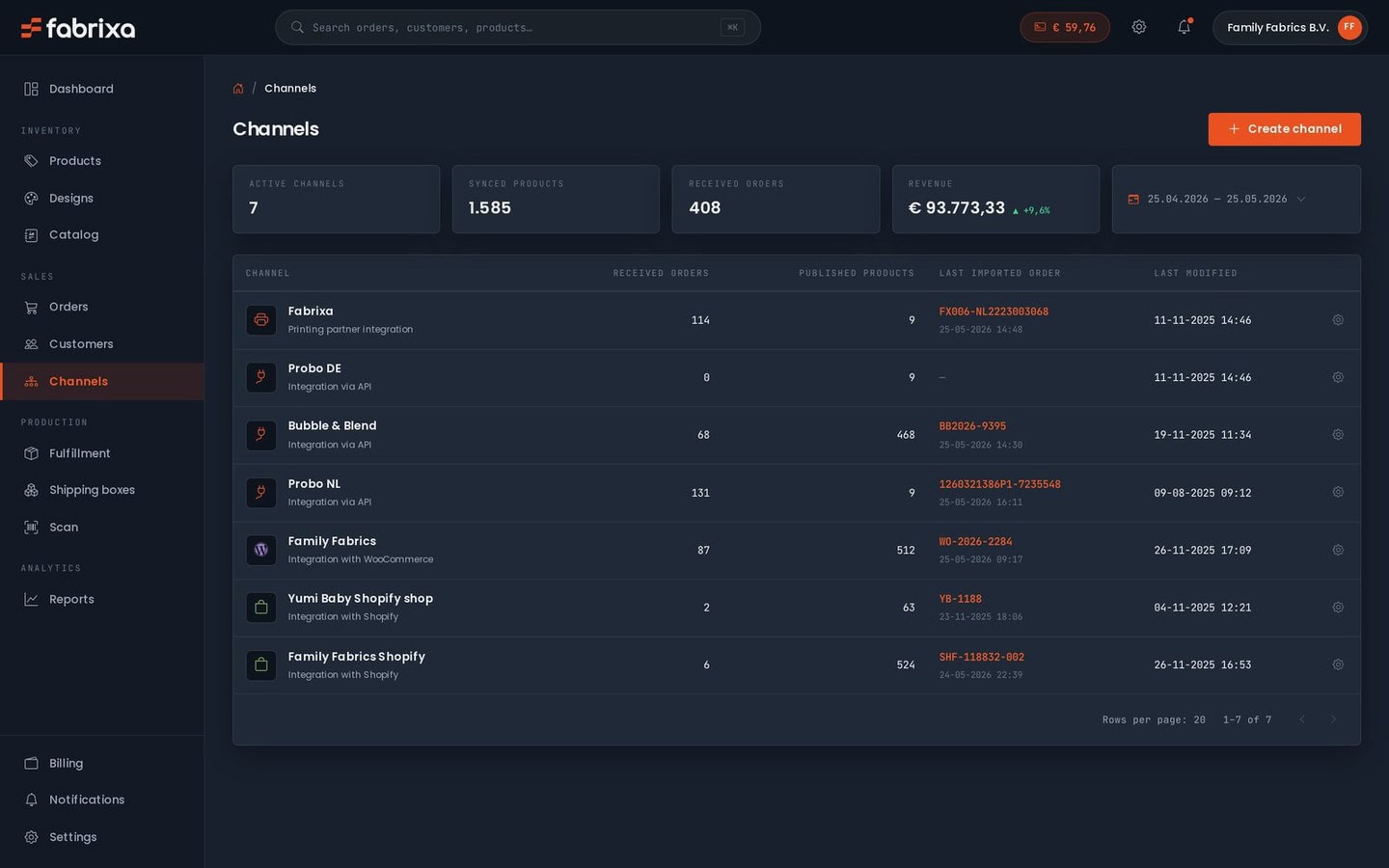
Fabrixa is Europe’s reactive textile print platform. One dashboard handles your sales channels, designs, production and dispatch, and every parcel ships white-label as standard — under your brand, with your return address, and no Fabrixa branding anywhere on the box or paperwork. Production is spread across Portugal, Spain and the Netherlands, which keeps supply chains short and lead times predictable for European customers.
Because the minimum order quantity is 1, there is nothing to commit to up front. You can validate a single design with a sample, then scale the same connection to tens of thousands of units without changing anything in your setup.
Four ways to connect
Choose the method that matches how your storefront is built:
- Shopify — one-click OAuth. You authorise Fabrixa from inside Shopify and the connection is live in minutes. Best for most merchants.
- WooCommerce — REST API keys. You generate a read/write key pair in WordPress and paste it into Fabrixa. Best for WordPress-based stores.
- Custom API — the Integration API (v2) for teams building their own checkout or middleware. Base URL
https://api.fabrixa.com/v2/integration, two-header authentication (Authorization: Bearer plus X-Application-Key), a 30 requests-per-minute limit, andorder.created/order.updatedwebhooks. - Fabrixa Studio — a white-label product customiser you embed in your storefront as an iframe. Customers personalise a product, and you attach the saved design to an order by
cart_item_key. End customers never see Fabrixa branding.
How to connect Shopify (one-click OAuth)
- Sign in to your Fabrixa dashboard and open Sales channels.
- Select Shopify and enter your store URL.
- Approve the connection on the Shopify authorisation screen. This is the standard OAuth handshake — you are not sharing a password, and you can revoke access at any time from Shopify.
- Map your Shopify products to Fabrixa products, choosing the fabric base and print method for each item.
- Place one test order to confirm it appears in your Fabrixa dashboard with the right design and shipping address.
Once mapping is done, new Shopify orders sync automatically. There is nothing to export or upload by hand.
How to connect WooCommerce (REST API keys)
- In WordPress, go to WooCommerce → Settings → Advanced → REST API and create a new key.
- Set the permissions to Read/Write and copy the generated Consumer Key and Consumer Secret.
- In your Fabrixa dashboard, open Sales channels, select WooCommerce, and paste in your store URL and the two keys.
- Map your WooCommerce products to Fabrixa products, setting the fabric and print method for each.
- Run a test order to confirm it lands in Fabrixa correctly before you go live.
Treat those keys like a password: keep them server-side and never expose them in front-end code. If a key is ever compromised, revoke it in WooCommerce and generate a new pair.
What happens after a customer orders
The order flow is the same whichever method you use:
- A customer checks out on your Shopify or WooCommerce store (or through the API).
- The order lands in Fabrixa automatically, carrying the design and shipping details.
- Your artwork is applied — either a print-ready PDF you supplied, or a design saved in Fabrixa Studio.
- Fabrixa prints, packs and ships the parcel white-label from the EU.
Reactive print on cotton and linen is produced in Portugal and Spain; sublimation on polyester is produced in the Netherlands. Apparel made in Portugal ships in roughly 6–9 business days. Your customer receives a package branded as yours, with your return address — Fabrixa stays invisible.
Which connection should you use?
| Method | Setup | Best for |
|---|---|---|
| Shopify | One-click OAuth | Most Shopify merchants |
| WooCommerce | REST API keys | WordPress-based stores |
| Custom API | Bearer + X-Application-Key | Custom checkouts or middleware |
| Fabrixa Studio | Embedded iframe | Letting customers personalise products |
Frequently asked questions
Do I need a minimum order to connect my store?
No. The minimum order quantity is 1, with no setup fees and no contracts, so you can connect and test with a single item before scaling.
Will my customers see Fabrixa branding?
No. White-label dispatch is standard: every parcel ships under your brand with your return address, and Fabrixa Studio shows no Fabrixa branding to end customers either.
Can I connect more than one sales channel?
Yes. Fabrixa gives you one dashboard for your sales channels, designs, production and dispatch, so you can run Shopify, WooCommerce and the API side by side.
How do I add product personalisation?
Embed Fabrixa Studio in your storefront as an iframe. Customers design or personalise a product, and you attach the saved design to the order by cart_item_key.
Ready to connect your store?
If you sell to European customers and want production that ships fast and white-label, connecting your store takes minutes. Explore the technical detail in our integration guide, see how the wider platform fits together, or read how we support print-on-demand platforms. When you are ready, order a Sample Pack to check the fabric bases first — its cost is credited against your first order — or talk to our team about your setup.