









An order request on screen, the point where a shop or the API hands an order to production
Starter guide · 4 of 4

How do I start with print on demand?

Starting with print on demand takes six steps: register a business, pick the products and the print method, connect a shop or use the platform directly, order one sample, set your retail prices, and launch — with no stock and no minimum order, the first sale can come before the first invoice.

The order of the steps matters less than doing the one most starters skip: ordering a single piece before launch. Here is the sequence, with what each step means on Fabrixa.

The six steps

From registration to launch.

01
Register
Register your business

Fabrixa works with business customers; a sole proprietorship is enough. You need a registered business and a VAT number or the exemption that applies to you — which register and which tax office depends on your country (see the country note below). Selling to consumers in other EU countries brings the EU One-Stop-Shop (OSS) for VAT into view once you pass the threshold; your accountant or tax office can tell you when.
02
Choose
Choose products and print method

Start narrow: one or two products that carry your design well. Cotton apparel and home textiles are reactive-printed in Portugal and Spain — colour inside the fibre, edge-to-edge all-over print; polyester sportswear and accessories are sublimated in the Netherlands. The catalog shows every product with its live price; the print-method comparison explains why the method matters.

03
Connect
Connect a shop, or skip it

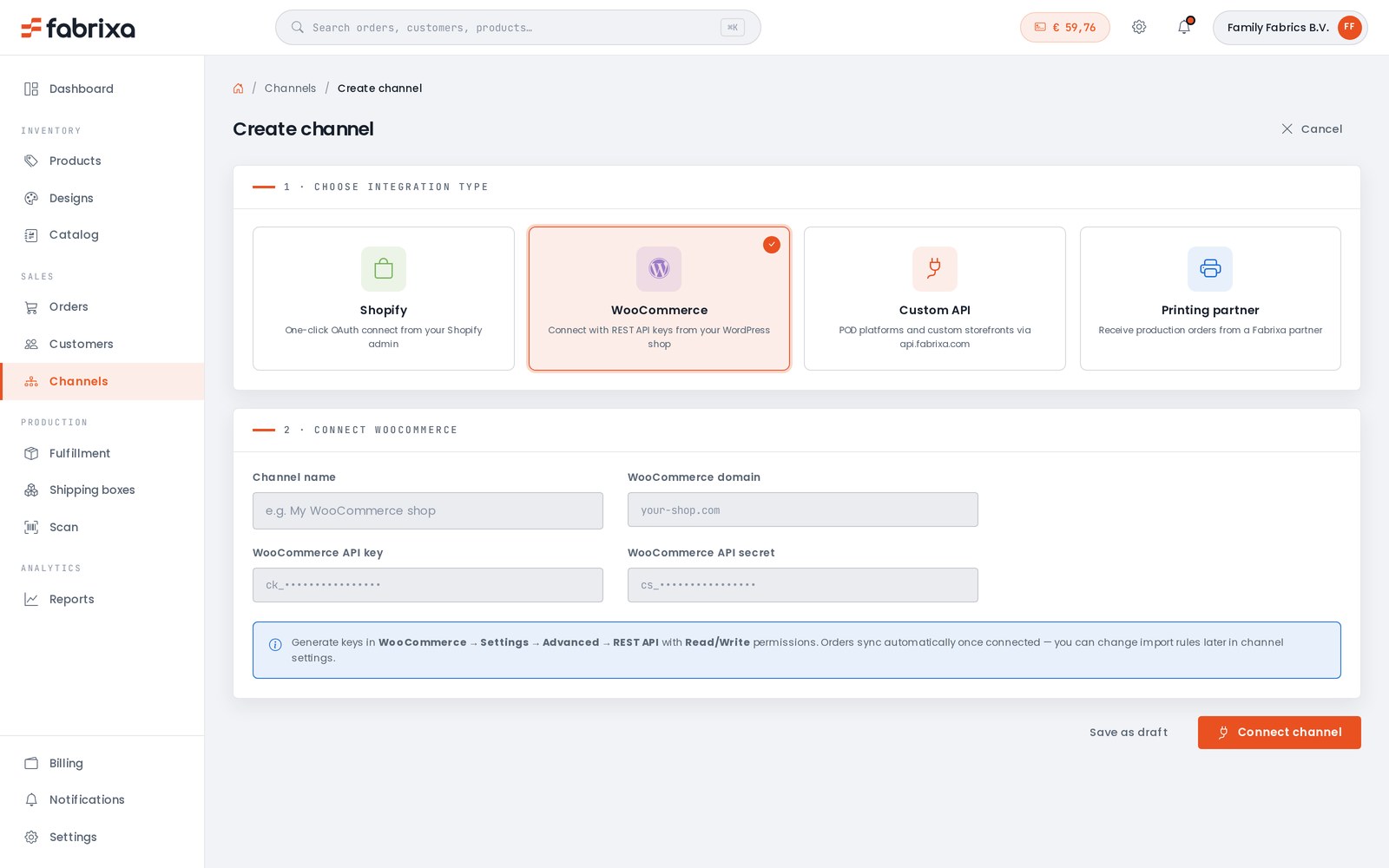
Shopify and WooCommerce connect in minutes and sync products and orders both ways. No shop yet? Create orders directly in the dashboard, or sell through a marketplace and enter orders by hand until volume justifies an integration. Platforms and marketplaces build on the API.

04
Sample
Order one sample

This is the step that separates brands that last from shops that refund. Order a single finished piece of each product you plan to sell — MOQ is 1 — and check colour, hand feel and fit on the real base. A sample pack of the fabric bases is credited against your first fabric order by the metre if you plan to sell fabric.

05
Price
Set your prices

Work from landed cost per piece: production price at your tier plus shipping per unit, then the retail price your design can defend. The costs guide walks through the numbers; the profitability guide has a worked example with live figures.

06
Launch
Launch, then let the data choose

Put a small range live, watch which designs sell, and expand those. Because nothing is pre-produced, expanding and pruning cost nothing but time. Every parcel already ships white-label with your details; a custom neck label from 1 piece makes the product fully yours.

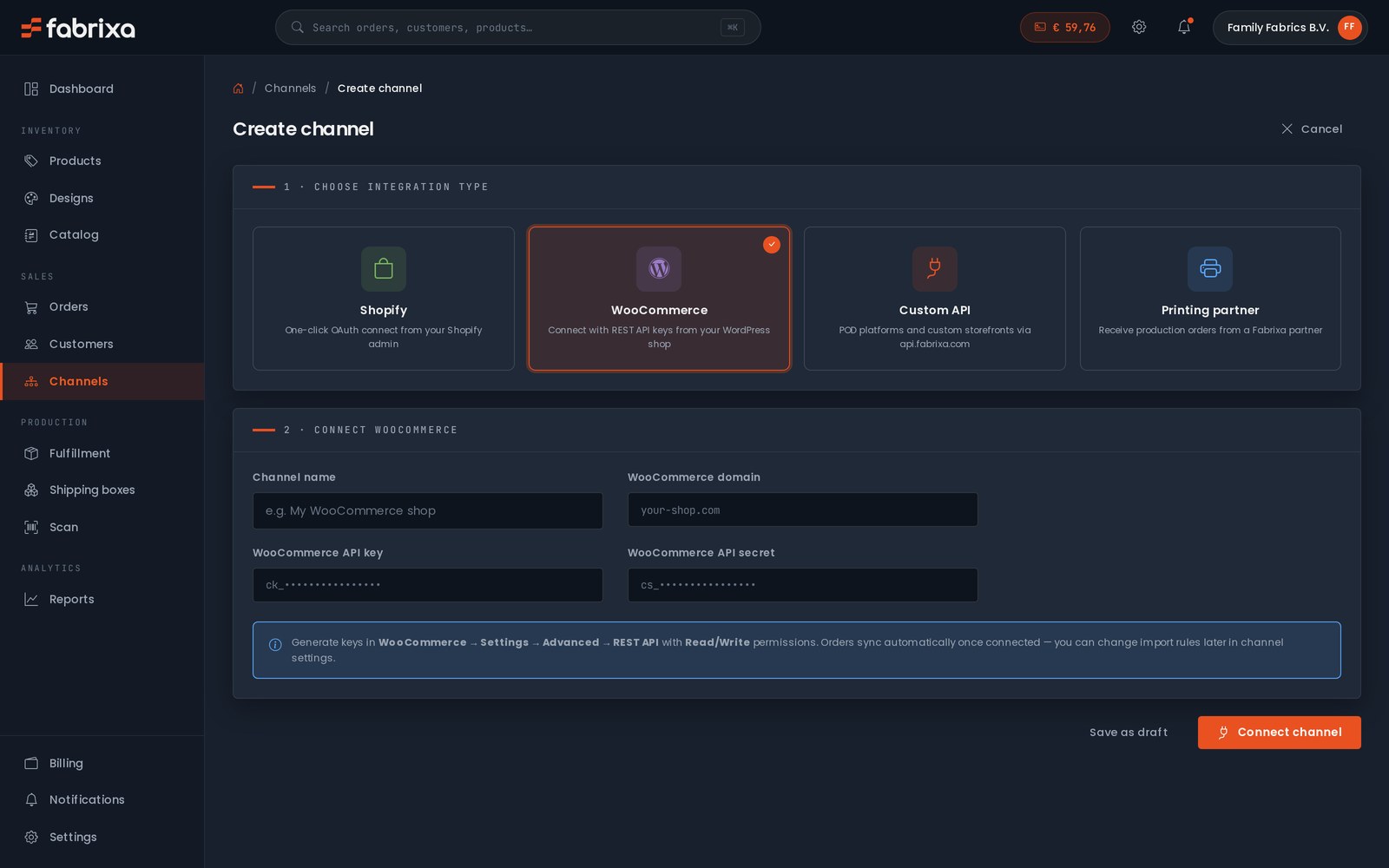
The create-channel screen of the Fabrixa platform: Shopify, WooCommerce, custom API or printing partner The create-channel screen of the Fabrixa platform: Shopify, WooCommerce, custom API or printing partner
Step three, on screen

One screen to connect a shop, or none at all.

Channels is where a shop plugs in: Shopify authorises the connection from its own admin, WooCommerce connects with a REST key pair pasted in once, and platforms build on the API. Every channel lands its orders in the same list — and so does an order you create by hand in the dashboard, which is how a starter without a shop, or a marketplace seller, works until an integration pays off.

Country note

Where you register, and who issues the VAT number.

A reference, not advice: the registers and tax offices below are where the answer is kept, and thresholds and schemes change. Your accountant or the office itself has the current rules.

United Kingdom, Ireland and the rest of the EU

Where to register

In the United Kingdom a sole trader registers with HMRC and a limited company with Companies House; in Ireland with Revenue and, for a company, the Companies Registration Office. Orders to UK customers leave the EU single market, so the shipping page explains customs and delivery terms for that route. Sellers elsewhere in the EU register with their national business register and tax office; the German, Dutch, French, Italian and Spanish versions of this page name them.

Selling across the EU

One market, one VAT scheme

Orders produced and shipped inside the EU single market meet no customs border, so your customers in other member states receive a domestic parcel. For VAT on consumer sales to other EU countries the One-Stop-Shop (OSS) exists so that one return covers them; whether and when it applies to you is a question for your tax office. Orders to the United Kingdom leave the market — the shipping page explains that route.

Shipping and delivery terms

Day one

What you actually need to start.

Money

Samples and the first orders

There is no setup fee, no minimum and no stock, so the starting capital is the price of your samples and your first orders. You pay for each order when you place it in the platform, or top up a prepaid wallet as you go; unused balance is refundable.

Artwork

A file at the right resolution

PDF, TIFF, JPG or PNG, built at the size it will be printed — for an all-over print that means panel scale from the start. The artwork guides explain resolution, colour and the file checklist.

Reactive print guide

Time

Minutes to register, days to a sample

Registration takes minutes; the first sample ships in the normal dispatch window of the product — 6–9 business days for apparel, 2–3 for sublimation items, 6–10 for most home textiles — and then travels by domestic carrier inside the EU.

FAQ

Starting with print on demand, answered

Do I need a registered business to use print on demand?

Yes. Fabrixa works with business customers, and a sole proprietorship counts. Your national business register and tax office issue the registration and the VAT number; the country note on this page says where to look for your market.

How much money do I need to start with print on demand?

Enough for your samples and your first orders. There is no setup fee, no minimum and no stock to buy; you pay per order when you place it, or top up a prepaid wallet as you go with a refundable balance, so the starting capital is the price of the pieces you actually order.

Can I start print on demand without a webshop?

Yes. Create orders directly in the Fabrixa dashboard, or sell through a marketplace and enter the orders by hand. Connect Shopify or WooCommerce when the volume justifies it, or build on the API if you run a platform.

How long from registration to the first order?

Registration takes minutes. The first sample ships in the normal dispatch window of the product, 6 to 9 business days for apparel, 2 to 3 for sublimation items and 6 to 10 for most home textiles, and then travels by domestic carrier inside the EU.

Where are print on demand products from Fabrixa made?

Reactive print on cotton and linen is made in Portugal and Spain, sublimation on polyester in the Netherlands, and every order ships white-label from the EU with OEKO-TEX Standard 100 certified materials and, on apparel, GOTS-certified organic cotton.

Step four, today

Order the one sample most starters skip.

Register, add the product you plan to sell and order a single piece — made in Portugal, Spain or the Netherlands, shipped white-label under your brand. Check it in hand, then launch.